 Aligned Practice
Start your practice
Aligned Practice
Start your practice
Aligned Practice
Start your practice
Aligned Practice
Start your practice

For speech therapists
Aligned Practice connects the goal, the data you take in session, and the note that comes out of it. So the writing takes minutes instead of your evening.
Works in any browser. Nothing to install.
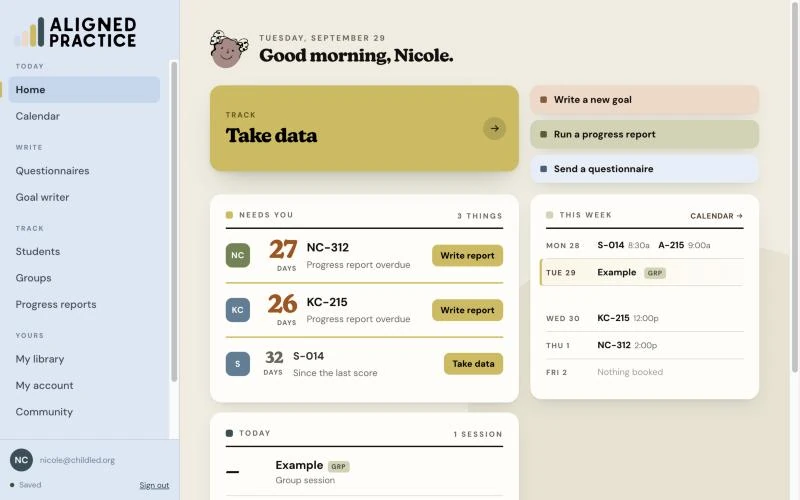
The part nobody prepares you for
The sessions were never the hard part. What takes the evening is sitting down afterward and rebuilding, from memory, what happened in a room you left at three o'clock. Then doing it again at the end of the term for the progress report, from notes that were never built to add up to anything.
Most tools hand you a faster place to type. This one changes what you have to remember.
How it works
Your district template, your clinic's wording, the format your supervisor signs off on. Aligned Practice does not ask you to change any of it.
What changes is underneath. You define what each level of support actually looks like for that child, so the goal describes something you can see rather than a number you have to go hunting for.
Works with the goal you already wrote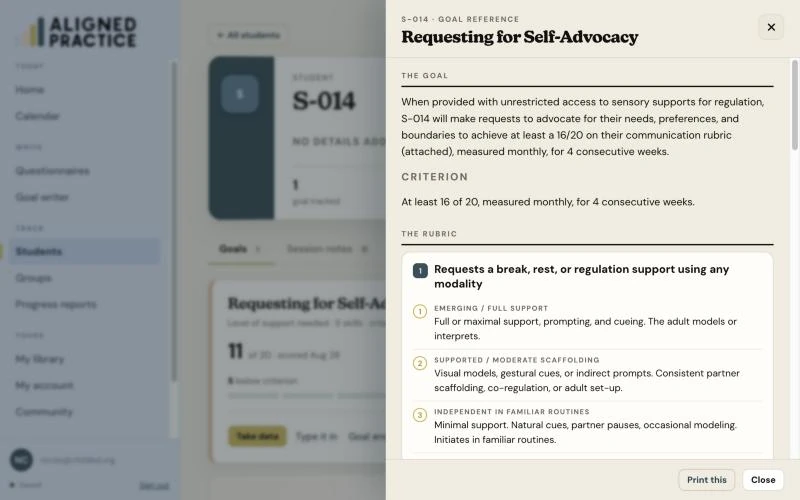
One tap for the level of support the child needed. That's the whole interaction. No tally sheet, no clipboard, no trying to hold four data points in your head until the session ends.
You can run it for a group, too, so a whole table of kids gets captured as it happens.
Live, in session, on your phone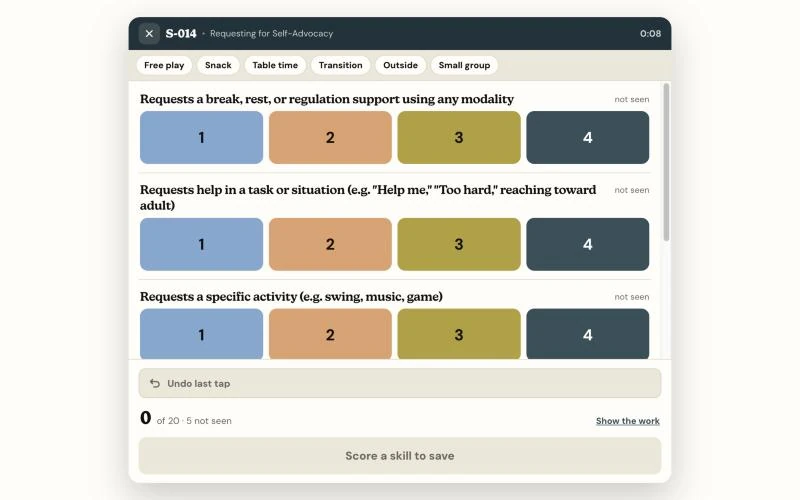
Subjective, Objective, Assessment, and Plan, built from the taps you already made. You read it, adjust anything you want, and save it to the chart.
It is not generated by AI. The notes come out of a rule catalog written by a speech therapist, so the same data always produces the same note and nothing turns up in your documentation that you did not put there.
Written from your data, not by a chatbot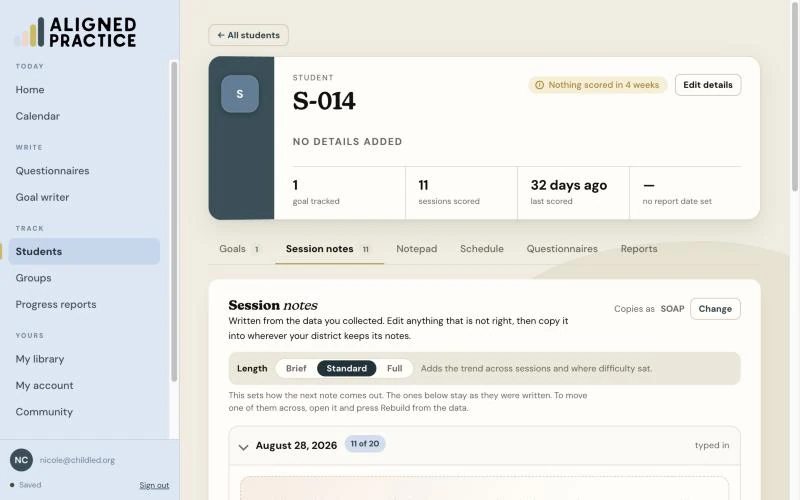
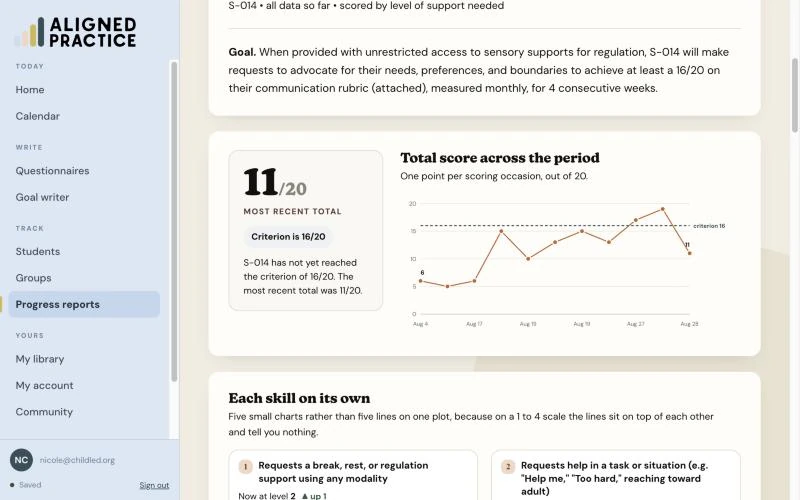
And then the part everyone dreads
Every tap you made is already in the chart. When the report is due, the movement is there to look at rather than something you reconstruct from a stack of notes that were never designed to add up.
What else is in there
Goals and rubrics you can start from instead of facing an empty page, plus a saved library of your own.
One question at a time through the communication areas, landing on what to target, with a button to turn it into a goal.
Every goal, every session, and every data point for a child in one place you can actually scroll back through.
Your sessions, laid out, so the data you take connects to the day it happened on.
Gather input from the people around the child without chasing paper forms.
A space to see how other clinicians wrote theirs, which is the fastest way to get better at writing your own.
About your students' information
You can switch names on if you want them, hide them temporarily when someone is looking over your shoulder, or leave them off entirely. Two-factor authentication is there if you want it on your account.
Nothing about this is an afterthought. You are carrying other people's children around on your phone and the app is built like it knows that.
The honest answers
"My district makes me use their goal format."
Then use it. Write the goal exactly as they require. What Aligned Practice changes is how you measure it and what you record, which is not the part they are reviewing.
"I don't work in a school."
Outpatient, private practice, early intervention, clinic. If you write goals and take data on them, this works the same way. Nothing in it assumes an IEP cycle.
"Is AI writing my notes?"
No. The notes come out of a rule catalog written by a speech therapist. The one AI piece in the app is a goal writing coach you choose to open, and it never touches your documentation.
"I don't have time to learn another tool."
Start with one kid. One goal, one week of data, one note. If that one child's documentation gets shorter, add the next. If it doesn't, you have lost a week and not a system.
Founding pricing
This is the founding price. It stays where it is for as long as you keep your account.
Who made this
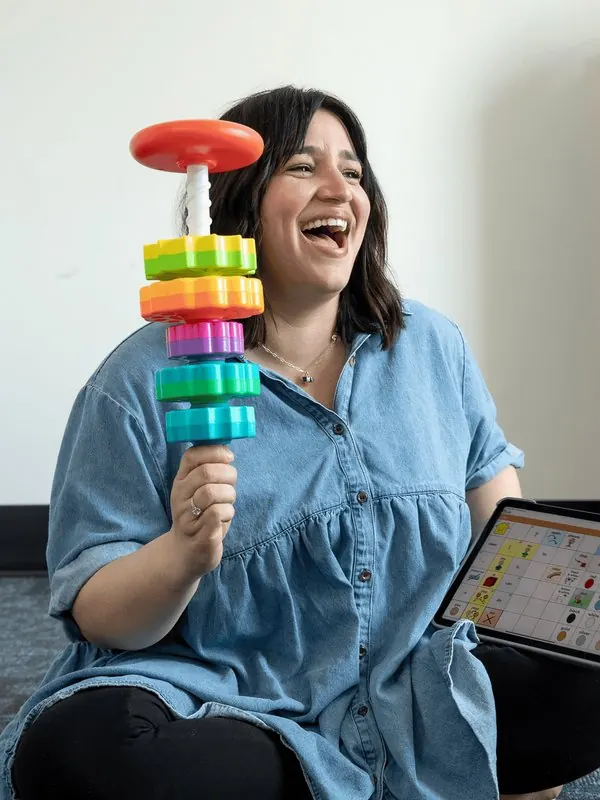
I'm Nicole, a speech therapist, and I spent about twelve years working with autistic kids before I built any of this. The documentation problem was never that I typed slowly. It was that the goals I was taught to write gave me nothing to write about.
So I built a way to write them differently, and then I built the software that runs it. Aligned Practice is that system, in the form I wish someone had handed me.
No. The framework applies to the goal you already have. You are not tracking something separate alongside it, you are making the one you wrote more measurable in how you run it.
Any browser. Phone, tablet, or laptop, and the same account across all three. There is nothing to install and nothing to keep updated.
Yes. Group data collection is built in, so a table of four kids gets captured live rather than reconstructed afterward.
The app itself is the tool. If you want the teaching, the community, and people to ask when you get stuck, that lives in The Child-Led Collective, which is separate.
There is a full data export on your My account page, and you can run it whenever you like, including before you cancel. Your saved rubric library backs up and restores from the same place. [NEED: how long the account and its records stay available after a cancellation, and whether anything is deleted on a schedule.]
Students are identified by a code rather than a name. If you turn names on they appear on your own screen only, and every document the app produces uses the code instead, so a note you print or paste into your district's system never carries a name out of the app. You can switch names off on screen entirely for an IEP meeting or a screen share. Two factor authentication is available on your account, using a six digit code from an authenticator app, which some districts require before they will approve a tool that touches student information. [NEED: one line on where the data is stored and under what terms. Do not claim HIPAA or FERPA compliance unless you have it in writing.]
One goal, one set of data, one note that was already written when you stood up. That is the whole test.
See the pricing$17 a month or $167 a year. Founding price.